

Workflow AutomationSeptember 16, 202610 min read

n8n vs Make vs Zapier: Which Automation Tool Is Best for Your Business?

Deciding between n8n, Make, and Zapier? We break down their core differences in pricing, visual interface, complexity, and AI capabilities so you can make the right investment.

Iksen Team

Iksen Team

Automation & Systems Architecture

Share:
n8n vs Make vs Zapier: Which Automation Tool Is Best for Your Business?

When modern businesses decide to automate repetitive tasks and connect their cloud software, three platforms dominate the conversation: Zapier, Make (formerly Integromat), and n8n.

All three allow you to build automated workflows that move data between apps without manual effort. However, their architecture, pricing models, and target audiences differ dramatically.

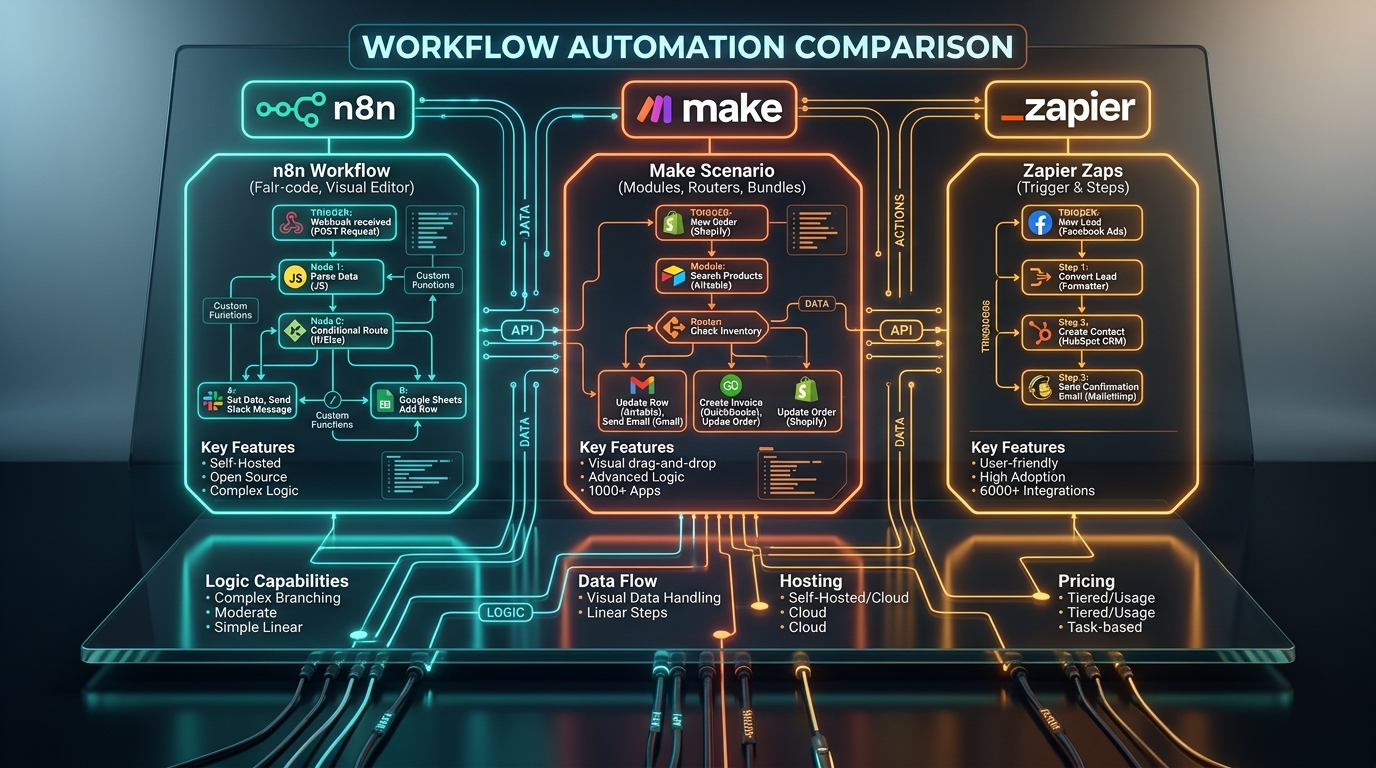
Zapier focuses on extreme simplicity and vast integration breadth. Make specializes in visual, multi-branch workflow orchestration. n8n offers unmatched engineering flexibility, custom code support, and self-hosted privacy.

n8n vs Make vs Zapier: Feature Comparison

FeatureZapierMaken8n
Ease of UseEasiest (Linear builder)Moderate (Visual canvas)Technical (Developer friendly)
Supported Apps9,000+ cloud apps3,000+ cloud apps1,000+ integrations
Visual InterfaceVertical list of stepsInfinite interactive canvasNode-based canvas with code nodes
Self-Hosting OptionNo (Cloud only)No (Cloud only)Yes (Community edition / Docker)
Pricing MetricPer task executedPer operation / creditPer workflow execution
Complex Logic & BranchingSupported (Paths on higher plans)Native visual routers & filtersAdvanced JavaScript / Python logic
AI & LLM IntegrationAI steps, Copilot, CentralAI agents & OpenAI modulesLangChain, Vector stores, Custom LLM nodes
Best ForNon-technical teams, quick setupsGrowing teams, visual workflowsTech teams, high volume, data privacy

1. Zapier: Best for Speed and Simplicity

Zapier is the most accessible platform for beginners. If you want to connect a Typeform to Mailchimp or sync Stripe payments with Google Sheets in five minutes, Zapier gets it done with minimal friction.

With over 9,000 app connections, virtually any SaaS tool your company adopts will have a pre-built Zapier integration.

Downside: Zapier charges on a task-based tier. Workflows with 10 steps running hundreds of times daily can quickly become expensive.

2. Make: Best Balance of Power and Visual Clarity

Make (formerly Integromat) shines through its infinite visual canvas. You can drag and drop modules, visually inspect data payloads, add routers for multi-path branching, and aggregate array data effortlessly.

Make is notably more affordable than Zapier for intermediate workflows, providing generous operation allowances even on lower-tier plans.

Downside: There is a learning curve regarding data structures, bundles, and array aggregators for non-technical users.

3. n8n: Best for Total Flexibility and Data Privacy

n8n is built from the ground up for technical teams, agencies, and security-conscious businesses. You can run custom JavaScript or Python code directly inside any node, transform JSON payloads with precision, and connect to internal databases.

Because n8n can be self-hosted on your own infrastructure, zero sensitive customer data leaves your private servers—a crucial advantage for healthcare, finance, and enterprise compliance.

Pricing Advantage: On paid n8n plans, you are charged per workflow execution rather than individual step executions. A workflow with 50 internal steps counts as one single execution!

Pricing Model Breakdown

Understanding how each tool charges is essential to avoiding surprise monthly bills:

• Zapier counts tasks: Each successful step in a multi-step Zap consumes one task allowance.

• Make counts operations: Each module that processes data counts as an operation/credit.

• n8n counts workflow runs: A workflow run can have dozens of internal steps without consuming extra credits.

Our Strategic Recommendation

Choose Zapier if: Your team has no technical background, you need quick out-of-the-box integrations, and your workflow volume is modest.

Choose Make if: You have multi-step operational logic, prefer an interactive visual canvas, and want strong capabilities at an attractive price point.

Choose n8n if: You have access to technical resources, process high-volume automation, build complex AI/LLM pipelines, or require self-hosted data governance.

💡Need Custom Workflow Architecture?

At Iksen, we design, deploy, and manage enterprise automation pipelines across Zapier, Make, and n8n. Contact us to audit your workflows and eliminate operational bottlenecks.

Partner With Iksen

Looking to Implement Automation or Launch a Custom Storefront?

Our team of experienced AI architects and full-stack developers can help you design and deploy scalable, reliable digital solutions.

Schedule Free Strategy Call

Frequently Asked Questions

Yes. While there is no one-click converter, workflows can be reconstructed in Make or n8n with improved logic and lower monthly execution costs.
More From Iksen

Related Articles

View All